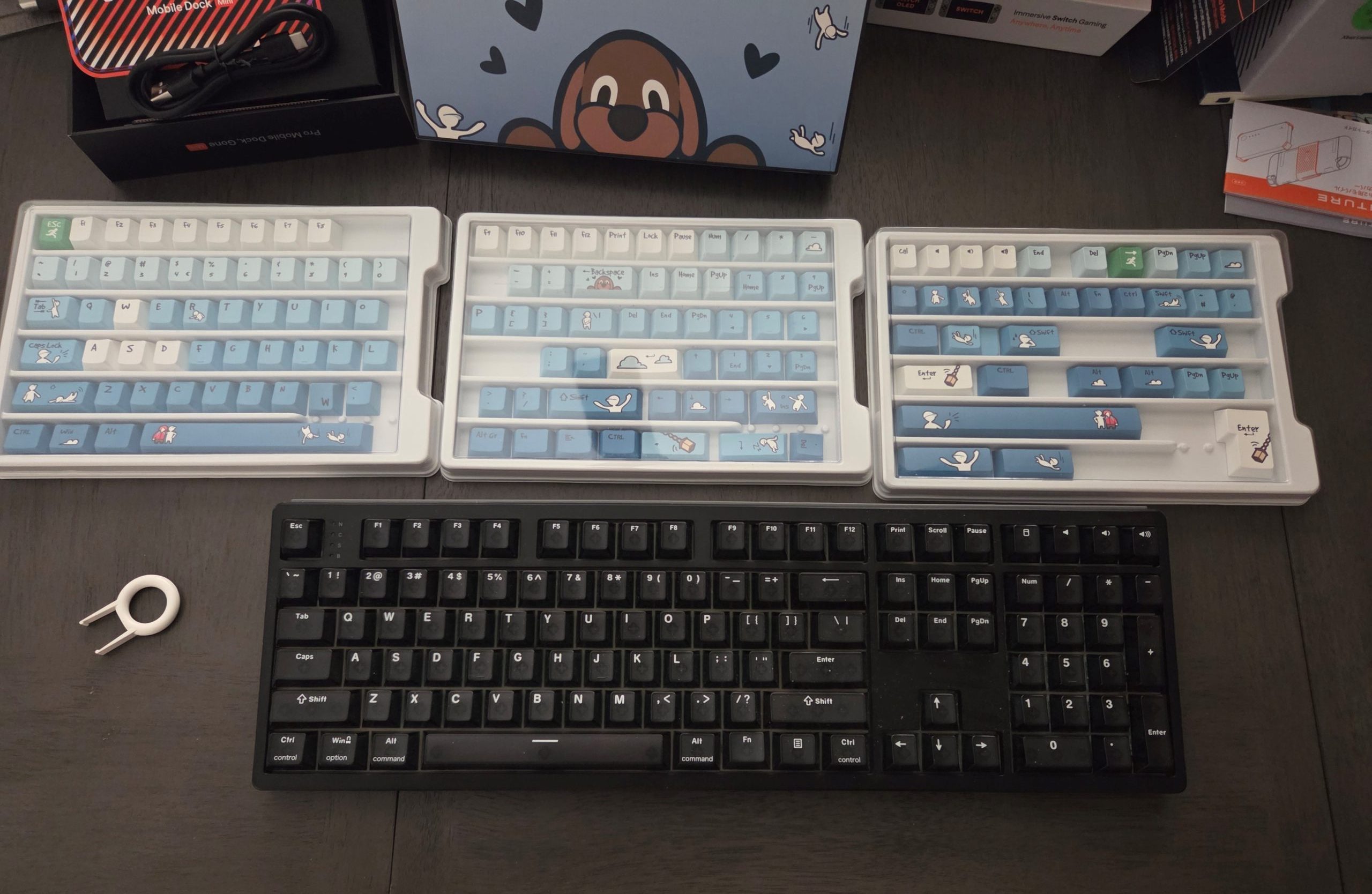
The Epomaker HE108 is one of the more compelling budget full-size Hall Effect keyboards on the market. Pairing it with Epomaker’s official Human: Fall Flat Fallen Series keycaps is a fun, low-risk customization that transforms the look without touching the excellent magnetic switches or gasket-mounted acoustics.
Quick Review of the HE108 + Fallen Series Combo
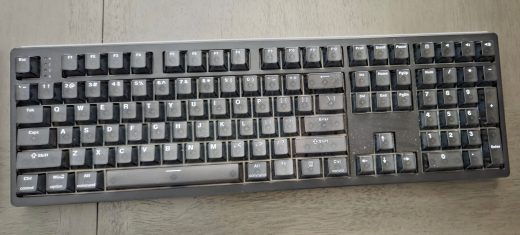
The HE108 is a true 108-key (100%) layout board with factory-lubed Creamy Jade Hall Effect magnetic switches. These offer adjustable actuation from 0.1 mm to 3.3 mm in 0.005 mm steps, Rapid Trigger, SOCD (Snap Key), DKS, and MT. It supports 8K polling in wired and 2.4 GHz modes, tri-mode connectivity (USB-C, 2.4 GHz, Bluetooth), and a massive 10,000 mAh battery (claimed ~500 hours RGB off / ~32 hours RGB on). The gasket mount plus multi-layer damping (PORON, IXPE, latex, etc.) gives it a surprisingly creamy, thocky sound for a Hall Effect board. Stock keycaps are Cherry profile and claimed as double-shot PBT (some reviews note the legends are more printed/shine-through hybrid than pure double-shot PBT, and light transmission varies).
The Fallen Series keyset (139 keys) is a collaboration celebrating Human: Fall Flat’s 10th anniversary. It uses durable PBT with dye-sublimation legends, Cherry profile, and a clean white-and-blue palette inspired by the game’s floating islands, clouds, and skies. Novelty details include playful character illustrations (falling, napping, antics), the original HFF typeface, and a green ESC key styled like the game’s exit sign. It includes extras for ISO Enter, Alice/split spacebars, and full coverage for 60% through 100% layouts. Price is typically around $40. It is not shine-through.
Compatibility is excellent. Both use Cherry profile and standard MX-style stems (the HE switches have the usual cross stem). The set fully covers the HE108’s 108-key ANSI layout with plenty left over. The only real trade-off is lighting: the new caps won’t light the legends the same way the stock ones do (RGB glows more around the edges and through the sides). The matte texture feels good, and the dye-sub legends should hold up well.
Overall impression: The HE108 already feels premium for the price (~$96–100). The Fallen Series adds personality and a cohesive theme without compromising typing feel or sound. It’s an easy win if you like the game’s aesthetic or just want a fresher look. There’s even an official HFF edition of the HE108 that ships with these caps pre-installed if you prefer zero work.
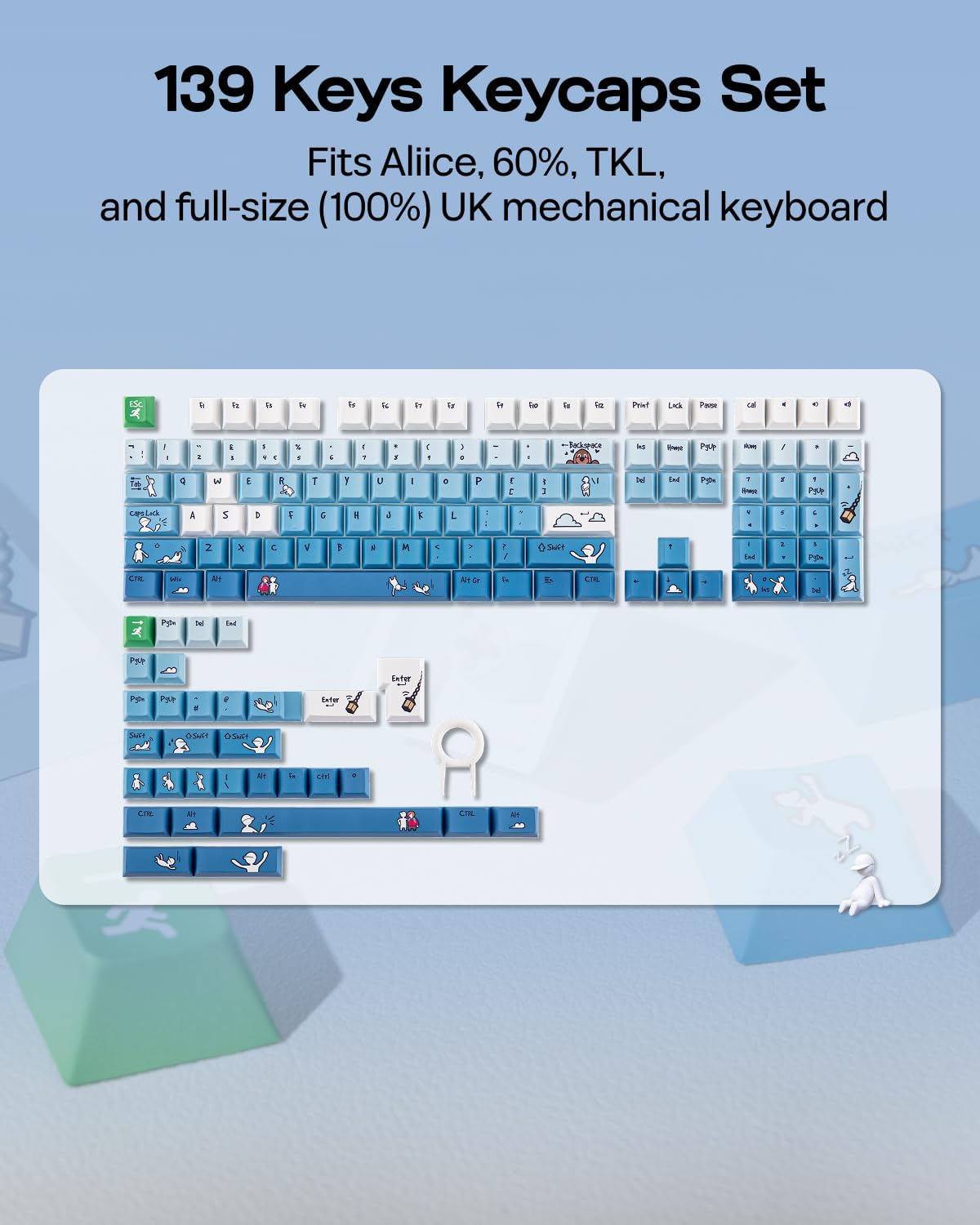 The Fallen Series keyset .
How to Swap the Keycaps
You’ll need the HE108 , the Fallen Series set which includes an upgraded key-puller, a soft surface (towel or desk mat), and optionally a phone for a reference photo. The process takes 20–40 minutes the first time (took us >30 minutes).
- Prepare
Unplug the keyboard or power it off. Take a quick photo of the current layout so you can double-check later if needed. Work over a soft surface so nothing rolls away. - Remove the stock keycaps
Use the wire end of the included puller.- Position the puller so the hooks catch opposite sides of the keycap near the base.
- Squeeze lightly if needed and pull straight up with even pressure. Avoid twisting or rocking side-to-side.
- Start with the main alphas and function row. Larger keys (spacebar, Enter, both Shifts, Backspace) sit on stabilizers—pull evenly and don’t force them.
- Set the removed caps aside in order or in a tray. You can keep them for later if you ever want to revert.
- Install the Fallen Series keycaps
- Match the correct key size and shape (the set has the proper full-size ANSI pieces).
- Align the keycap over the switch stem (and stabilizer wires for longer keys).
- Press down firmly and evenly until it seats with a solid click/feel. Check that it sits level and doesn’t rock.
- Pay special attention to the spacebar, Enter, and Shifts so the stabilizers engage properly.
- The green “exit-sign” ESC and the novelty illustration keys are easy to place in the usual spots (or wherever you prefer).
- Final checks
Press every key to confirm they register and feel consistent. Test the spacebar and modifiers for wobble or binding.
Power the board back on, cycle through RGB modes, and enjoy the new look. Legends won’t shine through as brightly as stock, but edge lighting still looks nice.
Tips
- Take your time on the first few keys so you get the feel of the puller.
- If a keycap feels stuck, reseat the puller and try again—don’t yank hard.
- The HE switches are hot-swappable (Hall Effect only), but you’re only changing caps here, so no switch work is required.
- Store the stock caps in a bag if you want the option to switch back.
That’s it. The HE108’s solid build, excellent magnetic switches, and tri-mode flexibility remain unchanged, while the Fallen Series gives it a distinctive, playful identity that fits the game’s chaotic charm. If you’re already a Human: Fall Flat fan (or just like the blue-and-white aesthetic), this is one of the more satisfying and affordable keycap swaps you can do.