
Most Hall Effect boards shrink the layout and sell the leftover space as a feature. The black EpoMaker HE108 that landed on my desk still has a numpad, a dongle under the foot, and a browser tab that wants to rewrite how every key fires.
First Impressions and Layout
The board that arrived is a true 108-key ANSI full-size: function row, navigation cluster, and a real numpad. At about 1.2 kg it does not slide around when I mash WASD, and the three-position feet let me set a 6°, 8°, or 10.5° angle depending on the chair height that day. White and smoky-black colorways exist; mine was the darker shell with Cherry-profile caps.
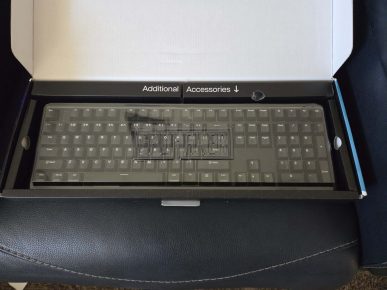
Up close the case is thick ABS with a gasket-mounted PC plate rather than a rigid sandwich. The black finish looks quieter than most “gaming” boards—south-facing RGB instead of a light bar screaming from every edge—and the dual Windows/Mac legends meant I did not have to hunt for a layout switch on day one. The physical OS toggle on the back is a small thing I ended up using more than I expected.
Design and Build on the Desk
After a week with the EpoMaker HE108 the chassis still feels planted. Gasket mounting plus the five-layer foam stack (PORON, IXPE, PET, socket foam, bottom silicone) keeps the case from ringing when I bottom out. On the black unit the darker housing hides fingerprints better than a pale shell would, and the RGB reads as a glow along the legends rather than a billboard. Stabilizers on the spacebar and shifts were acceptable out of the box; a little tick on the spacebar faded after a couple of days of use rather than needing a full tune.
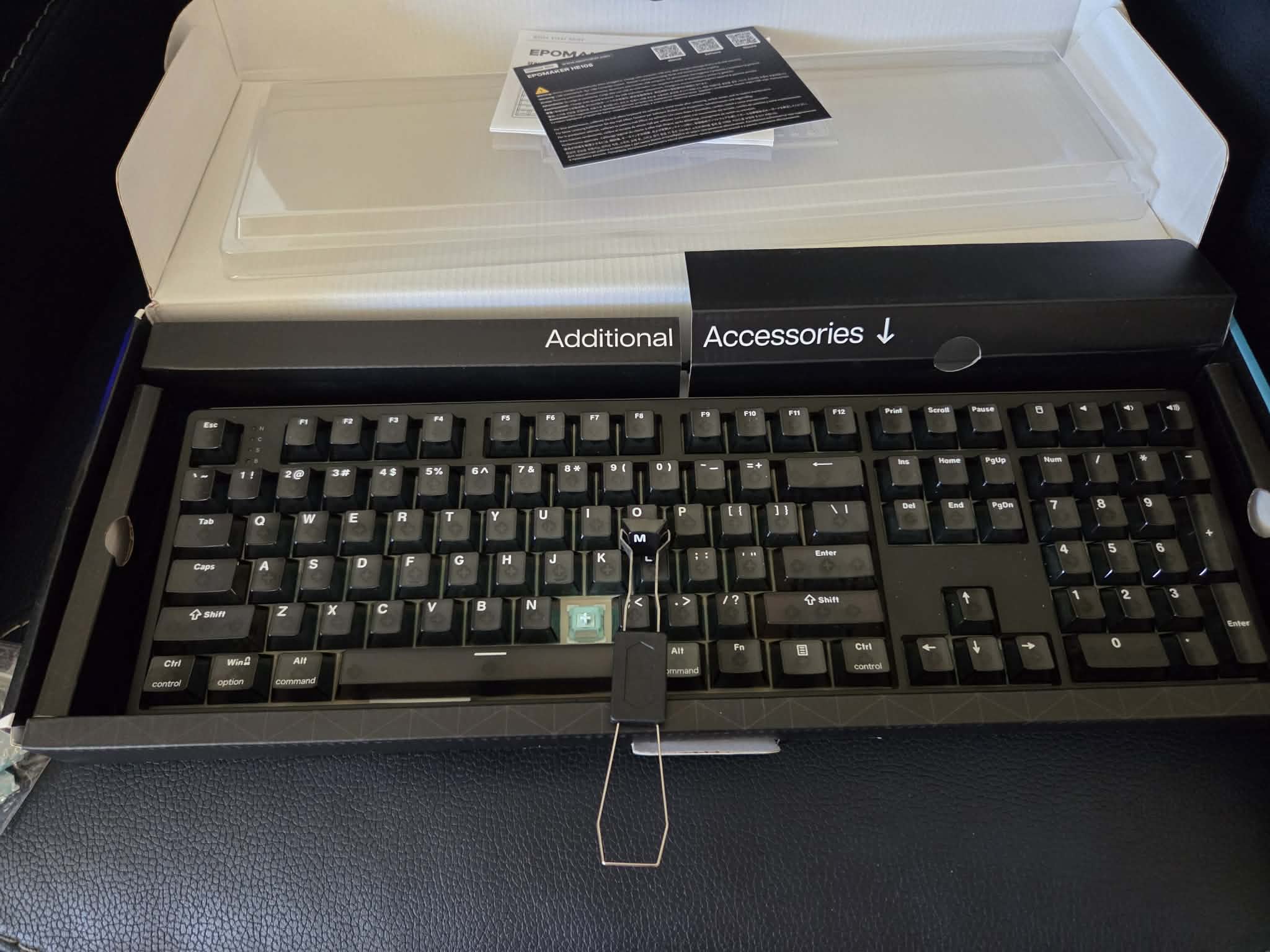
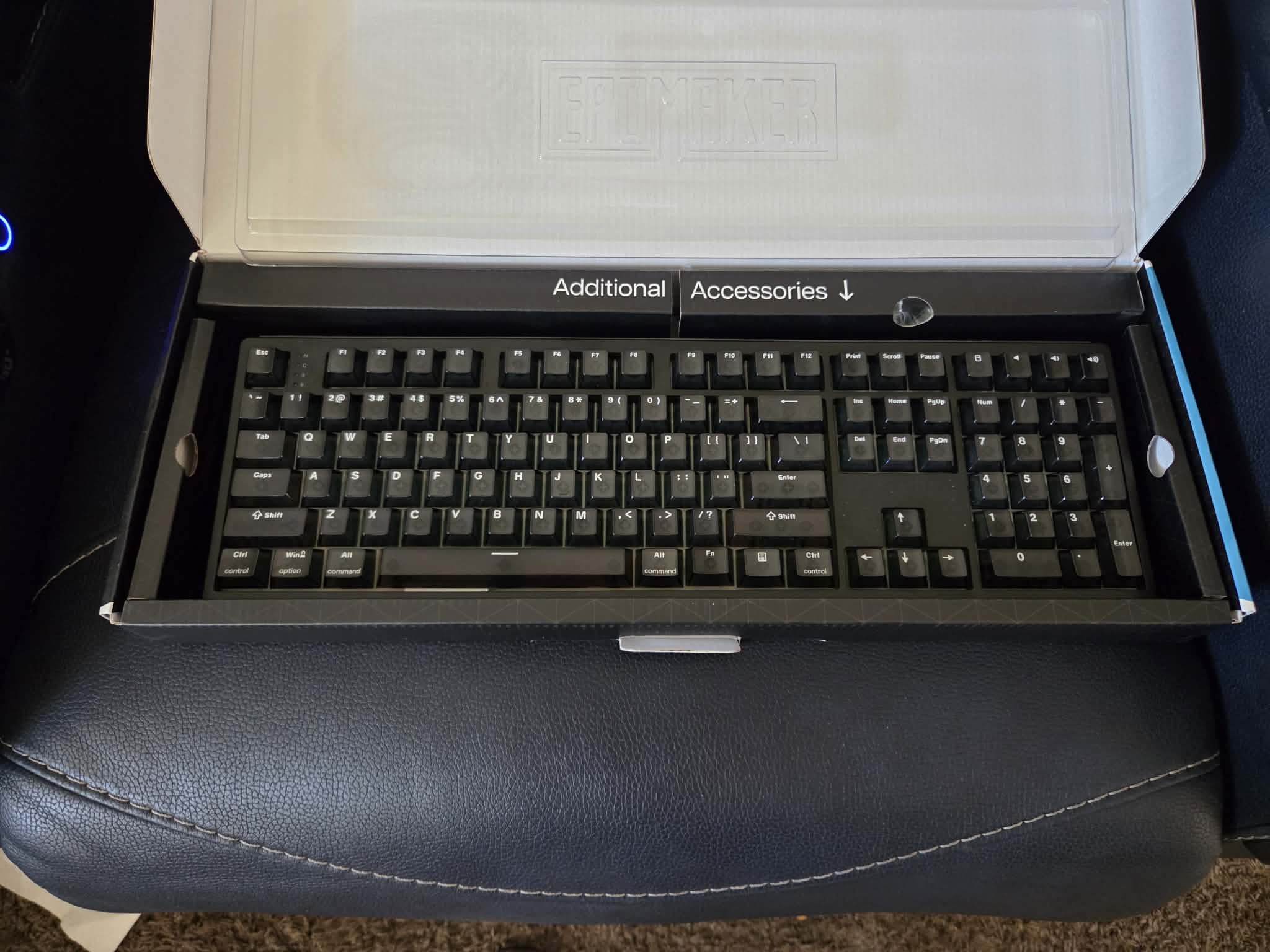
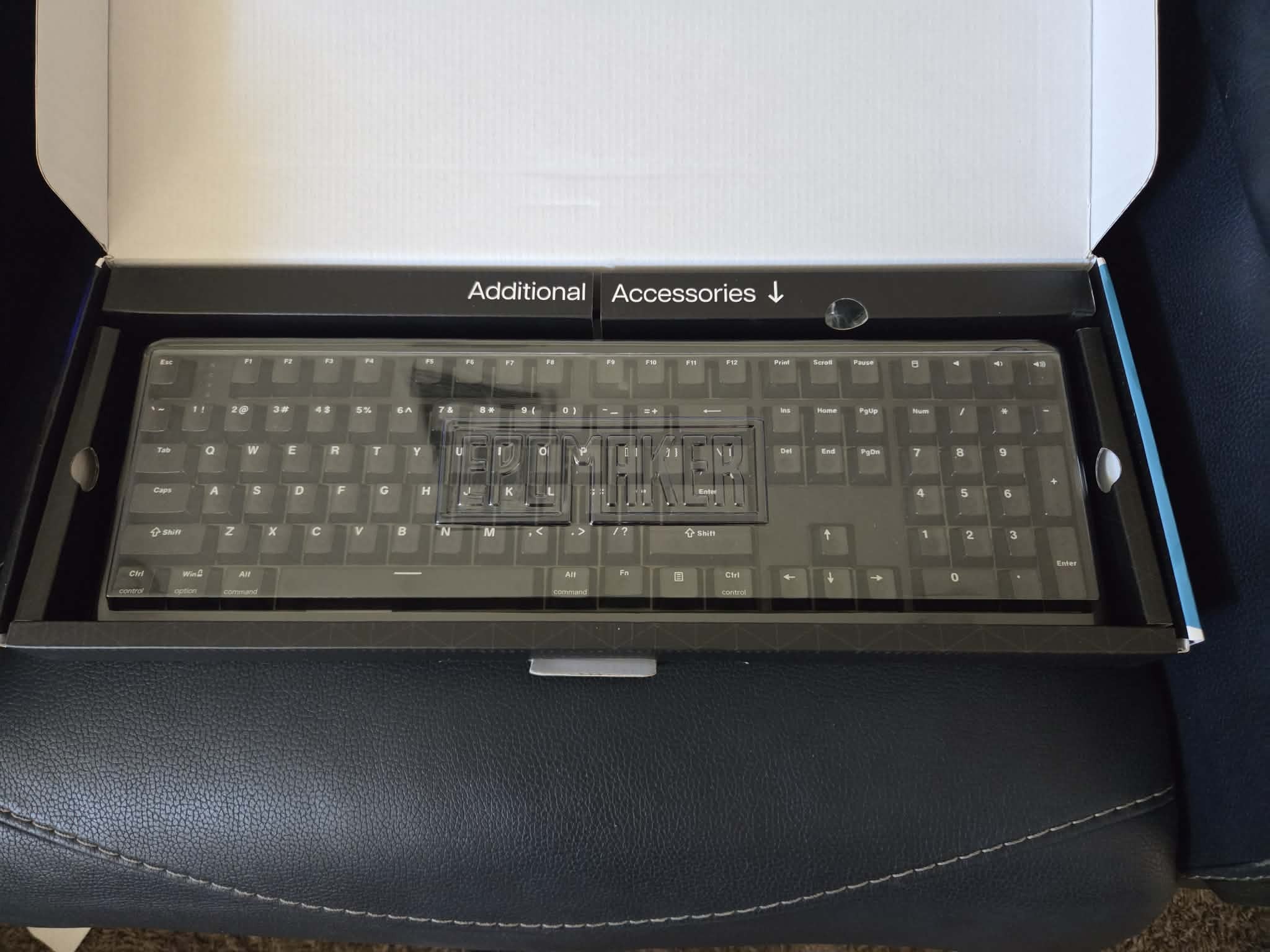
The keycaps are Cherry profile with a slightly sandy texture that stays grippy when my hands are warm. EpoMaker lists them as double-shot PBT. On my unit the legends look fine in daylight, but south-facing lighting does not punch through them the way true shine-through sets do. In a dark room I am typing by muscle memory, not by reading the letters. That is the one physical detail that kept bothering me after the first couple of evenings.
Switches and How It Actually Types
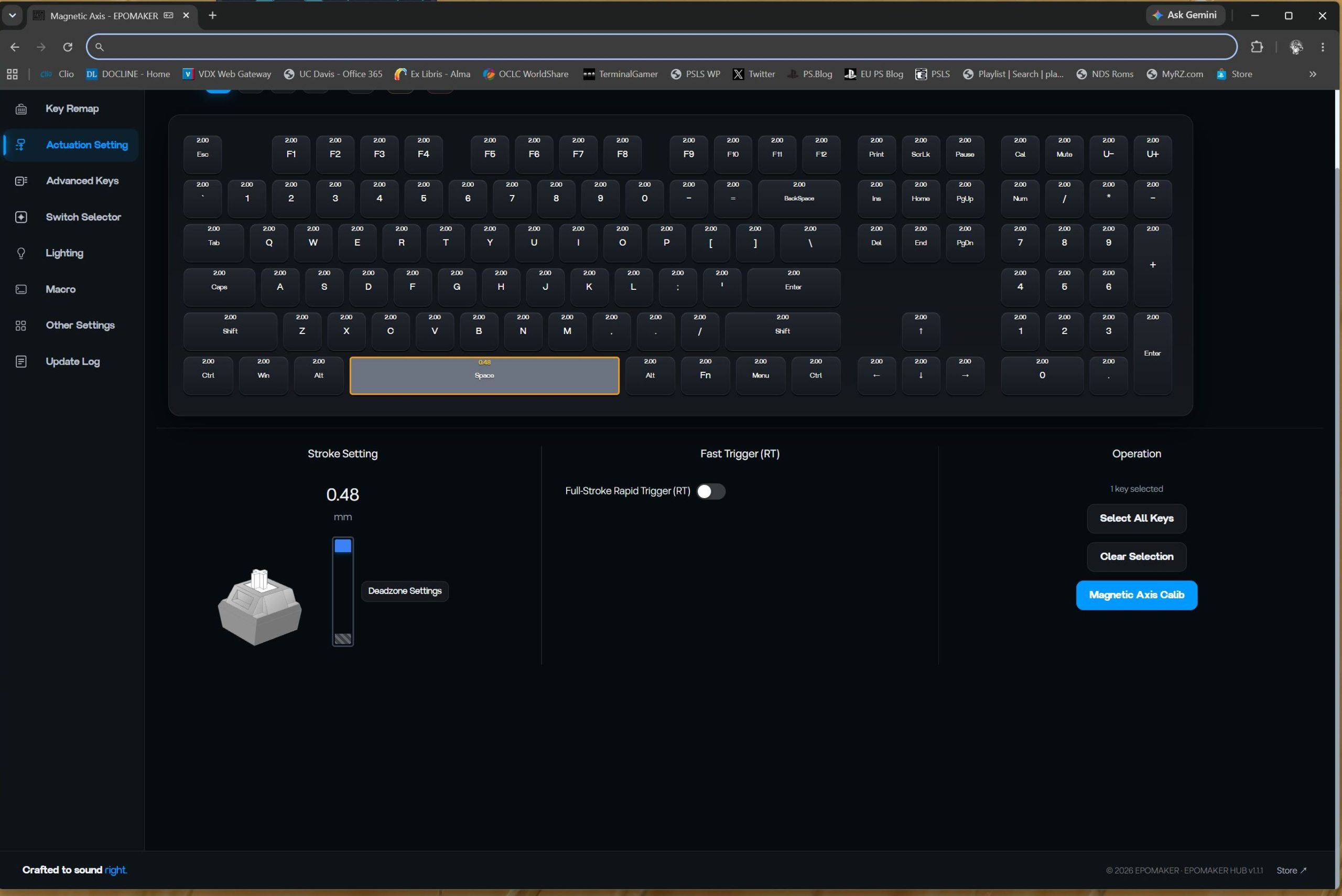
The review unit shipped with factory-lubed Creamy Jade HE magnetics: linear, roughly 30 gf to start and 55 gf at bottom-out, 3.3 mm travel. Hall sensors mean there are no metal contacts to bounce. In software I could move actuation from 0.1 mm to 3.3 mm in 0.005 mm steps and shrink the dead zone almost to nothing. Stock, the travel is smooth—no scratch I could feel—and the sound is a muted creamy thock instead of the thin tick I associate with cheaper magnetic boards.
For long writing sessions I left actuation deeper so I would not clip keys. For games I dropped WASD, space, and Ctrl toward the top of the travel. The switches are not feather-light, which saved me from accidental presses while typing, but they still reset fast enough once Rapid Trigger is on. Sockets are hot-swappable for other mainstream Hall Effect switches; I did not swap them because the stock set was already consistent across the board.
Gaming Features After Real Matches
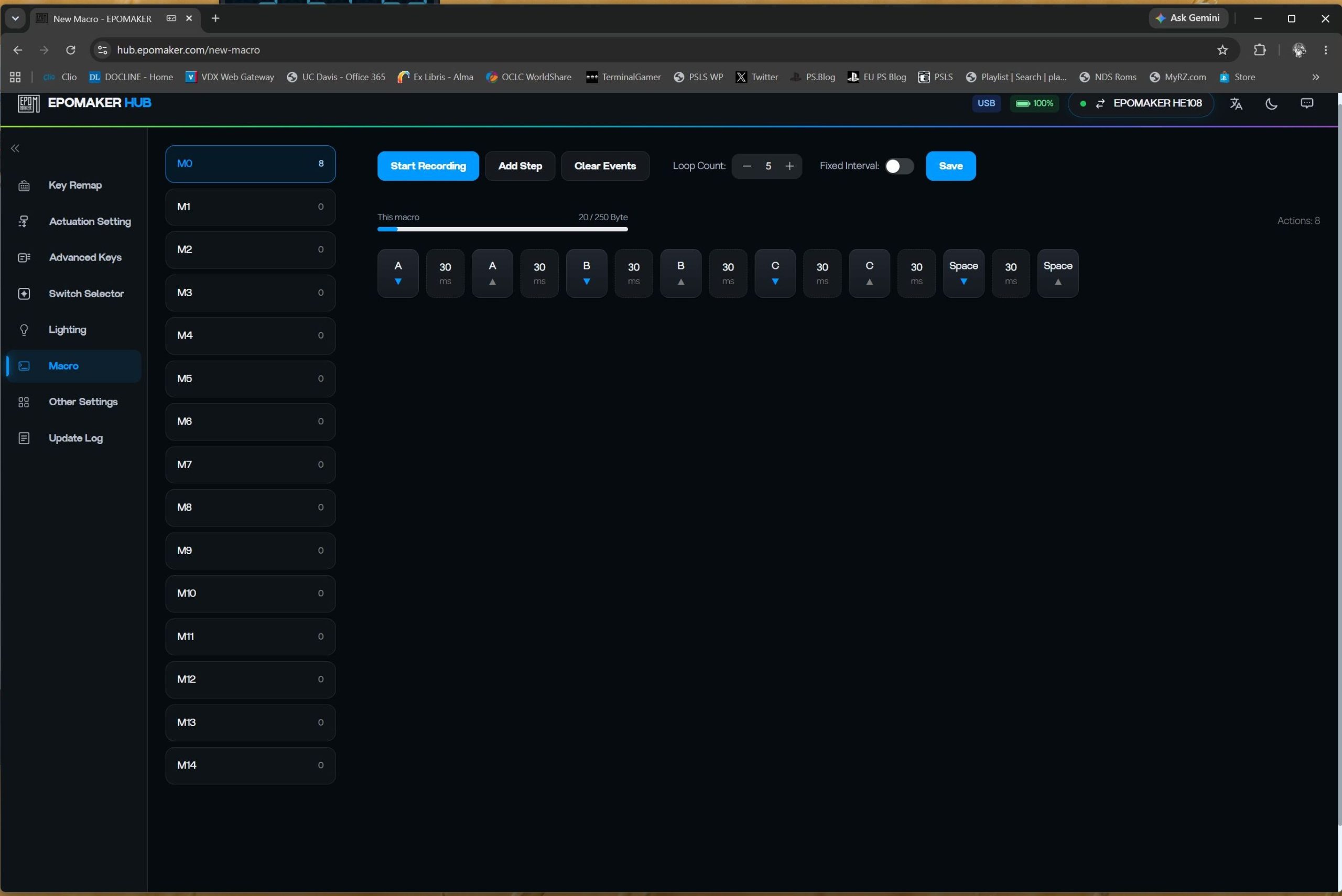
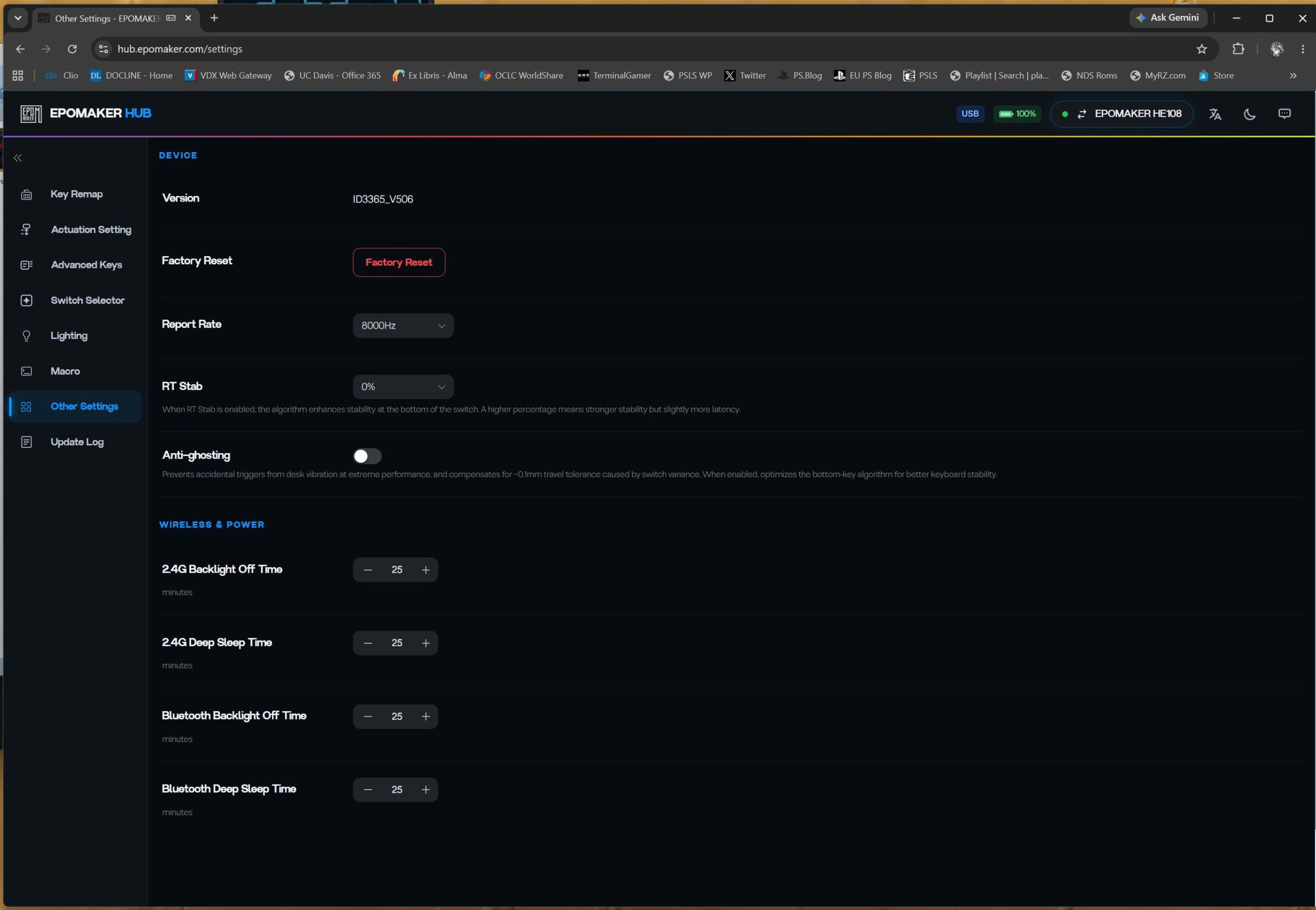
I enabled Rapid Trigger, SOCD/Snap Key, and Dynamic Keystroke and saved a separate profile from my work layout. Wired and 2.4 GHz both held an 8K polling rate on this unit; Bluetooth dropped to 125 Hz, so ranked sessions stayed on the dongle or the cable. Claimed latency is 0.2 ms wired and 0.4 ms on 2.4 GHz. I cannot verify those numbers with a lab, but counter-strafes and short taps registered cleaner than on my previous mechanical board.
Opposite-direction inputs stopped fighting each other once SOCD was on, which is the whole point of Snap Key in an FPS. Having a numpad and dedicated arrows on the same board I game on sounds minor until you bind macros and still need to type a Discord message without a layer. Profiles switched quickly enough that I stopped thinking about the software after the first evening of setup.
Connectivity and Battery in Daily Use
Tri-mode is USB-C, a 2.4 GHz dongle stored under a foot, and Bluetooth with multiple remembered hosts. I kept the dongle in a spare USB port and used Bluetooth for the laptop. The back-panel Windows/Mac switch and the indicator lights for Caps, Num, Scroll, and battery saved me from guessing.
The 10,000 mAh pack is the reason I stopped treating wireless Hall Effect boards as “charge every other night” devices. Official numbers are about 32 hours with RGB cranked and up to 500 hours with lights off. Over a week of moderate lighting and mixed wired/wireless use, I never needed to hunt for a cable. Heavy 8K wireless plus full brightness would shorten that, as expected, but a week was nowhere near enough to drain the pack.
Web-Based Customization
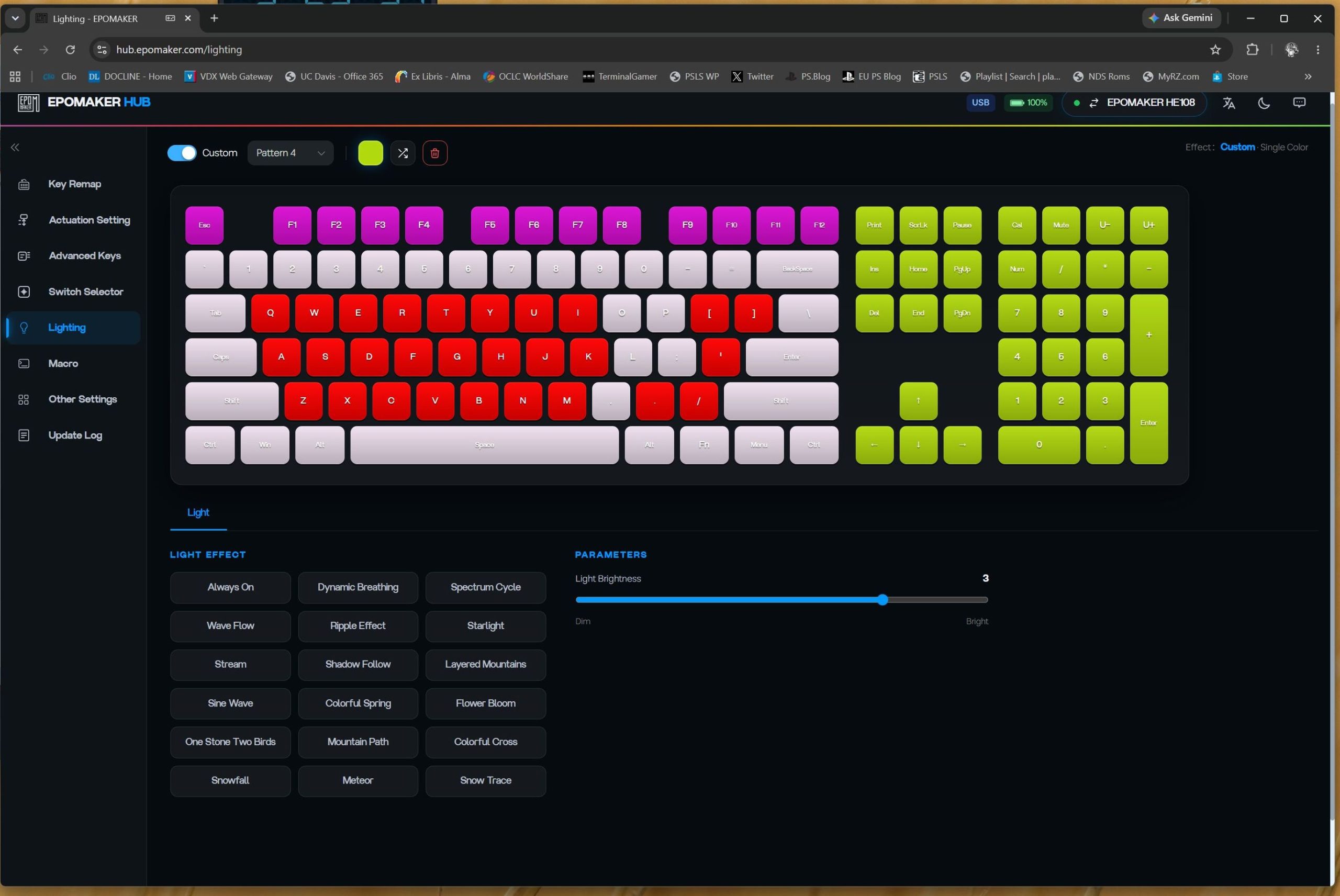
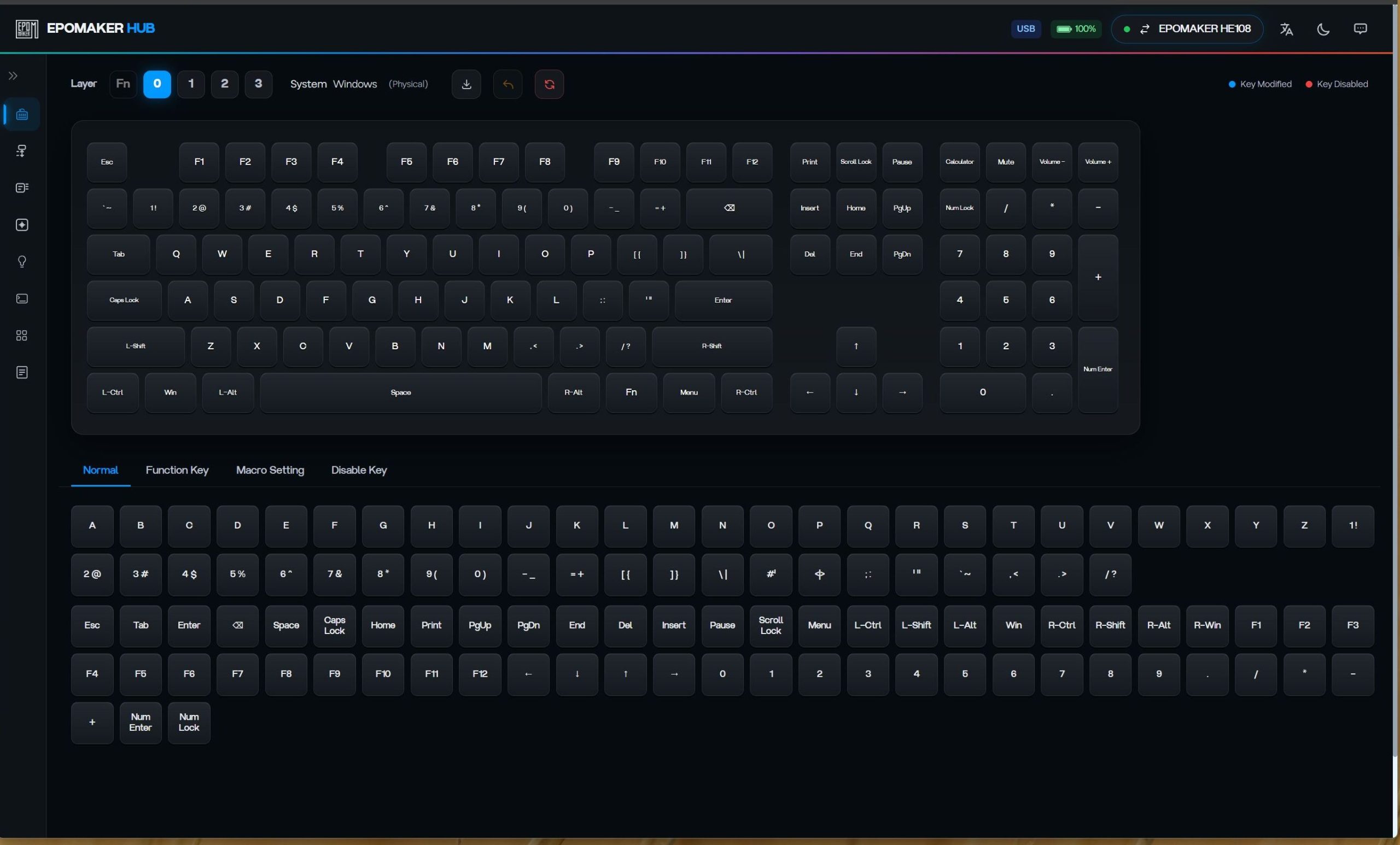
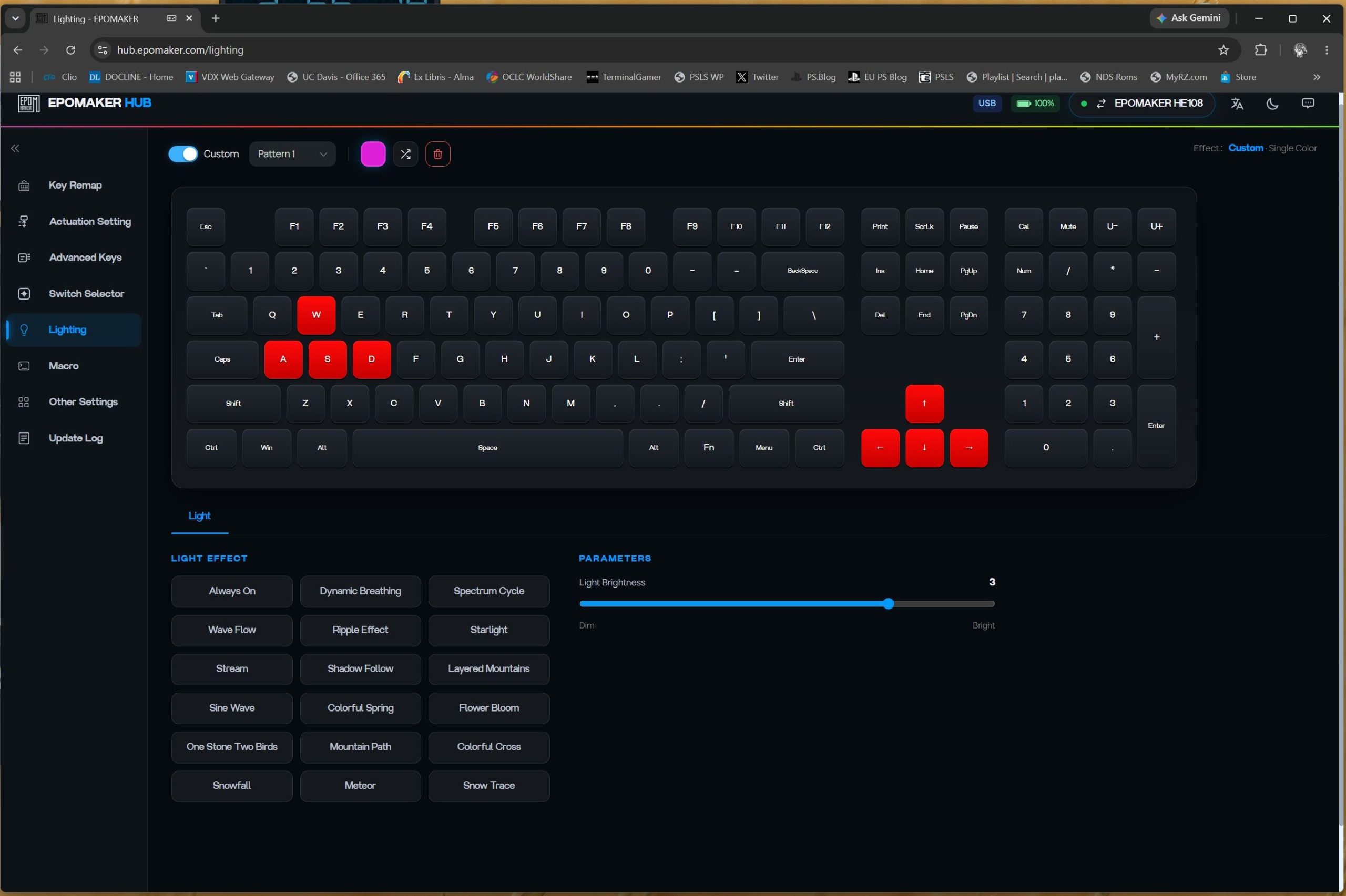
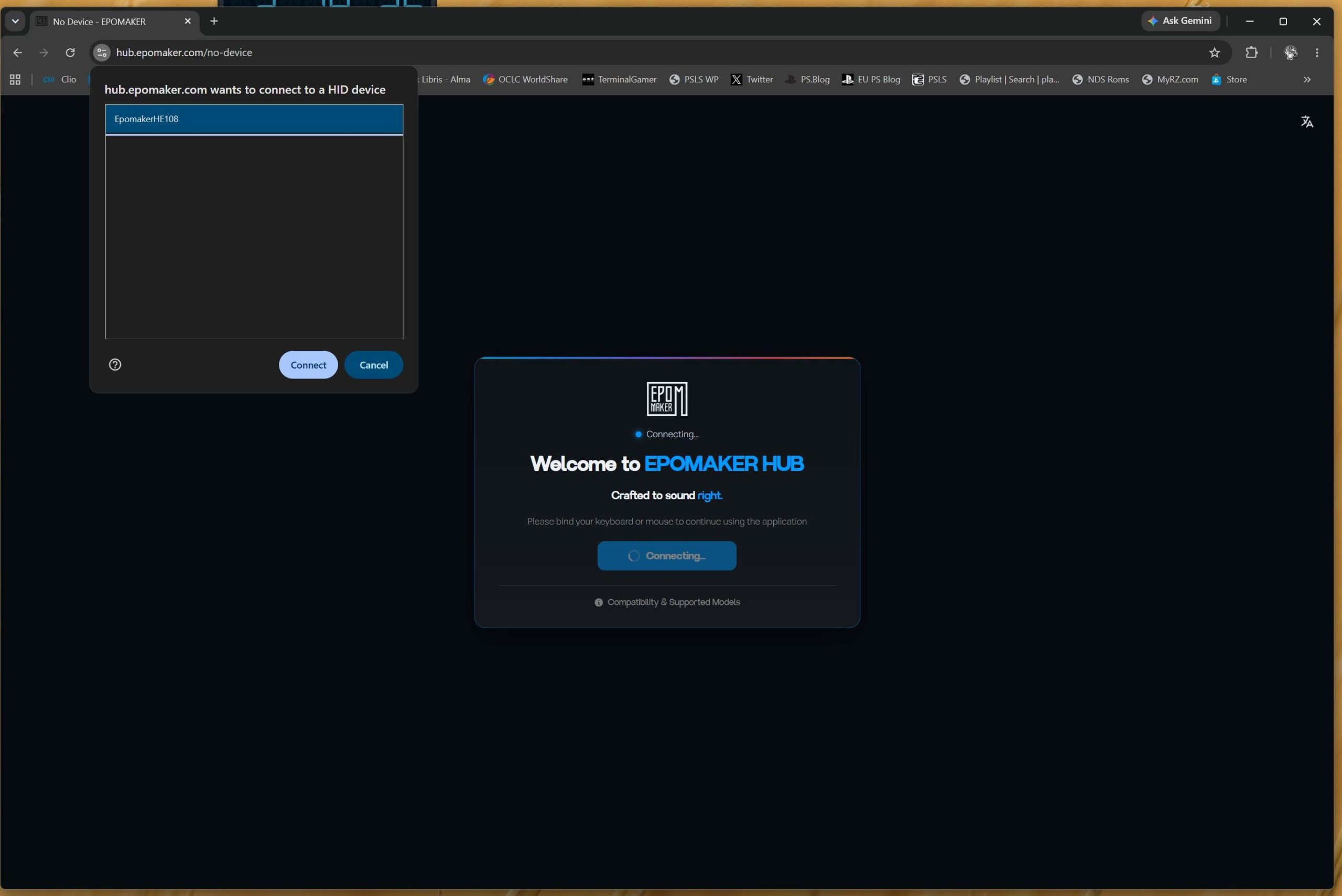
All of the serious setup on my unit happened in the browser through EpoMaker Hub at hub.epomaker.com. There is no downloadable desktop app. Plug the HE108 in over USB-C, open Chrome or Edge, and the page talks to the board directly. I remapped keys, saved macros, tuned per-key actuation and dead zones, flipped Rapid Trigger and SOCD, and pushed RGB profiles straight to onboard memory. Safari and Firefox would not connect; that limitation is real and worth knowing before you sit down to configure.
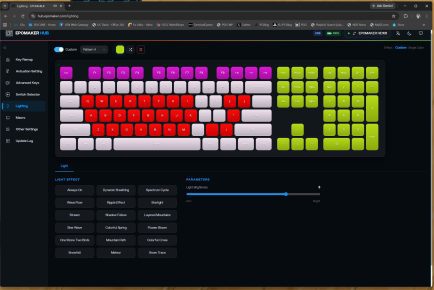
The web tool is not as pretty as a polished first-party suite, but it is fast enough that I had both a work profile and a game profile saved in one sitting. Changes stick when you unplug, which matters on a tri-mode board that spends half its life off the configuration cable. If you want Hall Effect features without another icon in the system tray, the Hub is the only path this keyboard offers.
Software, Lighting, and the Bits I Tweaked
Every key remaps well; that part just works. I built a deep-actuation work profile and a hair-trigger game profile and left them on the board.
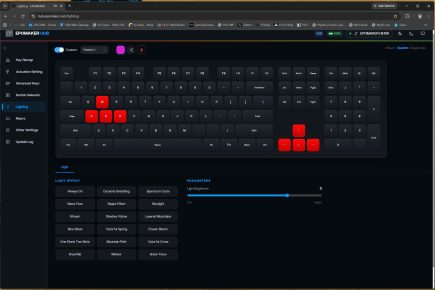
South-facing per-key RGB is bright enough to wash the desk at night, and on the black case it looks more like a low halo than a rainbow slab. Because the legends do not shine through well, the lighting is atmosphere, not a reading lamp. I left most effects on a slow breathe and did not miss extra mods. The stock foam and gasket already kept ping and case hollow-ness down on this unit.
After a Week
Living with the black HE108 for a week made the full-size magnetic idea feel less like a compromise. I got analog adjustment, Rapid Trigger, and 8K polling without giving up the numpad I still use for work. The gasket feel and Creamy Jade HE switches made long typing days less fatiguing than I expected from a Hall Effect board at this price.
It is not flawless on the unit I used. The web configurator needs Chrome or Edge and a USB cable. Bluetooth is the wrong mode for anything competitive. The keycap legends disappear when the room goes dark. Those are the notes I would give EpoMaker. For a full-size Hall Effect board that can stay on the desk for both ranked games and actual writing, this one earned the space it took.
EpoMaker HE108 review unit provided by publisher and reviewed on a PS5. For more information on scoring, please read What our review scores really mean.